
Not everyone sees the same things in FlowAgents. What you see and what you're allowed to do depends on two things: your role in the team and which AI agents belong to you in the org chart. This page covers both at a glance.
Who has access at all
- Owners, co-owners and people with full access to FlowAgents always have access.
- Members need product access to FlowAgents. You grant it on the Team page in the FlowAgents menu, or directly in the org chart when you link a person to a role.
With Managed, every member with access to the AI agents costs a monthly amount, starting on the day access is granted or the invitation is sent, prorated to the day. The platform shows you the amount when you invite someone and when you link them in the org chart.
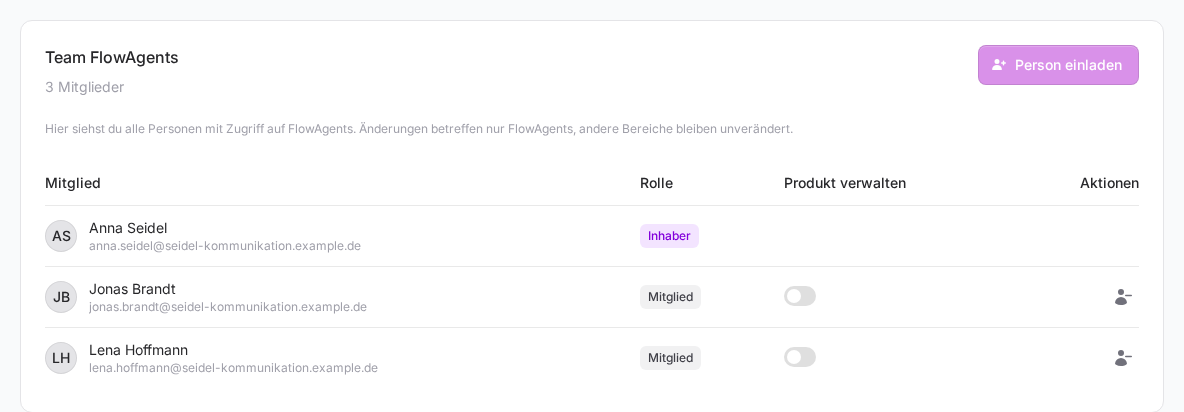
How roles and access work in the team in general is explained in Members and roles, Assigning product rights and How do I invite people to just one product?
What you see in the menu
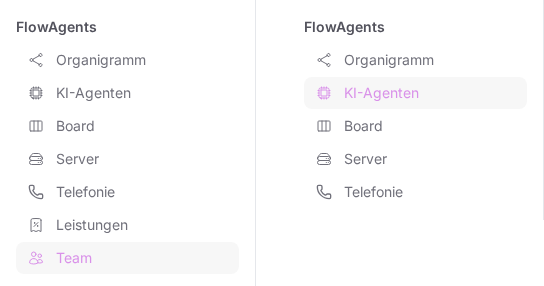
| Menu item | Owner, co-owner, full access | Member with access |
|---|---|---|
| Org chart | view and edit | view |
| AI agents | your own agents and those of your team members | only your own agents |
| Board | your own board | your own board |
| Servers | view, billing details only for the owner | view |
| Telephony | verification, all phone numbers, every member's own numbers | numbers for your own agents, your own numbers |
| Plan | yes, once your team has a contract | no |
| Team | yes, if you may manage the team or FlowAgents | only with the Manage product right for FlowAgents |
Managing versus talking to an agent
This is the most important difference. Anyone who may manage FlowAgents (owner, co-owner, full access) sets things up for all of the team's agents:
- sign in an AI subscription and order the accounts
- create MCP connectors
- set the call language and voice for phone calls
- switch API as fallback on and off for the team
- create and move roles in the org chart and link people
- edit an agent's profile on its page
- restart an agent's gateway
Talking to an agent, on the other hand, is reserved for the person it belongs to, meaning the person above it in the org chart:
- write to it in the Telegram chat
- call it in the browser
- assign it cards on your own board
So an owner can sign in the AI subscription of a colleague's agent again, but can't message that agent themselves. Exception: if there is no linked person above an agent at all, anyone with access may message and call it. More in Who owns an AI agent?
If an agent has no Telegram bot yet, its person can connect one, and so can anyone who may manage FlowAgents, see Connect your AI agent to Telegram.
Browser and memory
An agent's browser and memory can only be opened by its person, and only if that person may also manage FlowAgents. A member without management rights therefore sees neither the globe nor the light bulb next to their own agents. If a colleague should use her agent's browser, she needs full access to FlowAgents. How to grant it is explained in How do I appoint a co-owner and grant full access? More on both in Open an AI agent's browser and Your AI agent's memory.
Telephony
- Company verification: only for those who may manage FlowAgents, meaning owners, co-owners and people with full access. Members don't see the Verification tab.
- Booking phone numbers: members book numbers only for their own agents and see only those numbers. Anyone who may manage FlowAgents sees all numbers, cancels them and sees their history.
- Minute pool: only owners, co-owners and people with full access see the status of the shared minute pool at the top of the Telephony page.
- Call list: each person sees only their own calls and the outside calls to their own agents. Owners don't see other people's calls either.
If something goes wrong
- You only see "Overview": You don't have access to FlowAgents.
- Every menu item leads to the overview page: Your team doesn't have a FlowAgents contract yet, see Request AI agents and get started.
- A menu item is missing: Check in the table above whether it belongs to your role.
- The three-dot menu is missing in the agent list: You may not manage FlowAgents.
- After the contract ends nobody can manage anything any more, but most pages stay readable, see When your FlowAgents contract ends.