
Your AI agent remembers a lot on its own. Sometimes something wrong or outdated gets in, or it keeps something it should not know, such as a private detail from a conversation. There are two ways to deal with this: you mark individual memories invalid, or you delete a whole conversation along with everything the agent learned from it.
Mark invalid or delete?
| Mark invalid | Delete conversation | |
|---|---|---|
| What is affected | A single memory | A whole conversation and every memory from it |
| Does the agent still use it? | No | No |
| Is anything kept? | Yes, the memory stays in the memory archive with the reason | No, everything is removed |
| Undo | Not from the interface | Not possible |
| Typical case | A fact has changed or was wrong | The conversation contained confidential content |
For a single wrong detail, Mark invalid is almost always enough. Deleting is meant for when a whole conversation should not stay in the memory.
Marking a memory invalid
- Open the agent's memory: under FlowAgents, AI agents via the light bulb (Memories) in its row, or via the Memories button on its detail page.
- Switch to the Memories tab and find the memory, for example with Search memories.
- Click the memory. Its details open on the right.
- Click Mark invalid at the bottom.
- Enter a Reason in the window, such as "outdated, Ms Miller has not been the contact person since October".
- Confirm with Mark invalid.
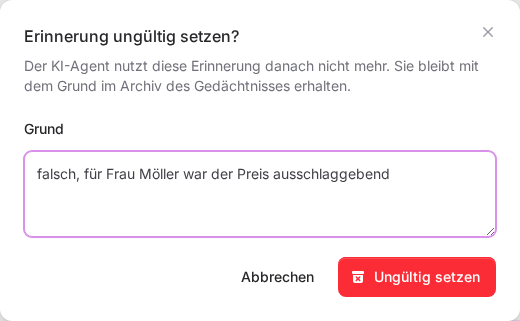
You then see "The memory was marked invalid." In the list it now has the status Invalid, and the details show Marked invalid on with the date and your reason. Use the Status filter to show all invalid memories.
The reason is required and must be between 3 and 500 characters long. Write it so that it is still clear later why the memory no longer applies.
Deleting a conversation
- Open the details of a memory from the conversation in question.
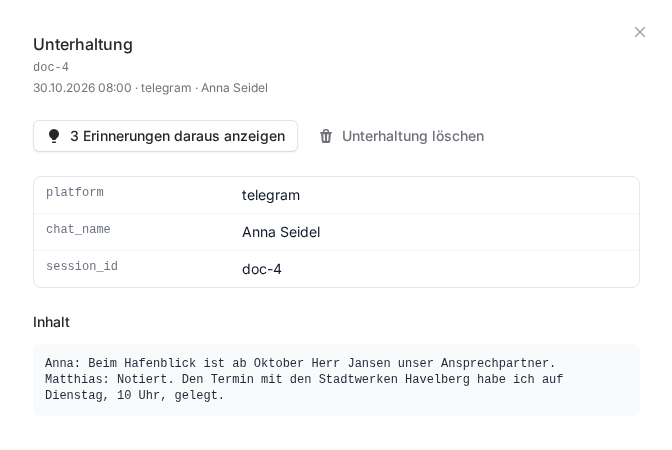
- Click Open conversation. You see the conversation and its content.
- Use Show … memories from it to check first what came out of it. The number in the button tells you how many there are.
- Click Delete conversation, enter a Reason and confirm with Delete conversation.
You then see "The conversation was deleted." The conversation and every memory from it have been removed from the memory. This cannot be undone.
Good to know
- Tell it what is right: Marking something invalid takes the wrong information away. For the agent to know what is right, simply tell it in the chat, for example "The contact person at the Hafenblick Hotel is now Mr Jansen." It will remember that on its own.
- Mental models: If a mental model depends on the corrected memory, refresh it afterwards with Regenerate, see Mental models.
- Who can do this: You edit memories only for your own agents, and only if you may manage FlowAgents.
- Login details never belong in a chat with the agent. If someone wrote a password anyway, delete the conversation and change the password.
How the memory is structured and how to search it is described in Your AI agent's memory.
If something goes wrong
- "Please give a reason of 3 to 500 characters.": The reason is missing, too short or too long.
- "The entry was not found in the memory.": The memory has since been merged or removed. Click Refresh at the top and search again.
- No Mark invalid button: The memory is already invalid.