
To chat with your AI agent in Telegram, you need a Telegram account. A username is optional, but it makes it easier to identify you clearly. Here is how to set up both in a few minutes.
Install Telegram and create an account
- Download the Telegram app from the App Store (iPhone) or Google Play (Android). For your computer there is Telegram Desktop, and you can find every version at telegram.org/apps.
- Open the app and tap Start Messaging.
- Enter your mobile number. Telegram sends you a confirmation code by text message or to a Telegram app where you are already signed in.
- Enter the code and add your first name and, if you like, your last name.
Your account is now ready. Your phone number stays hidden from others unless you change that in the privacy settings.
Create a username
A username looks like this: @anna_seidel. Others can find you through it without knowing your phone number.
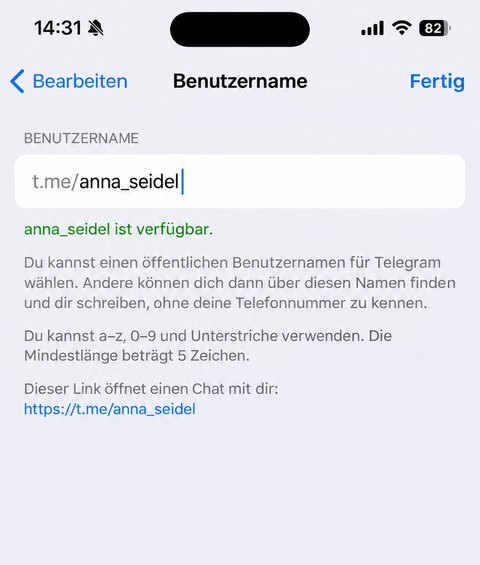
iPhone
- Tap Settings at the bottom right.
- Tap Edit at the top right.
- Tap Username and enter the name you want.
- Tap Done.
Android
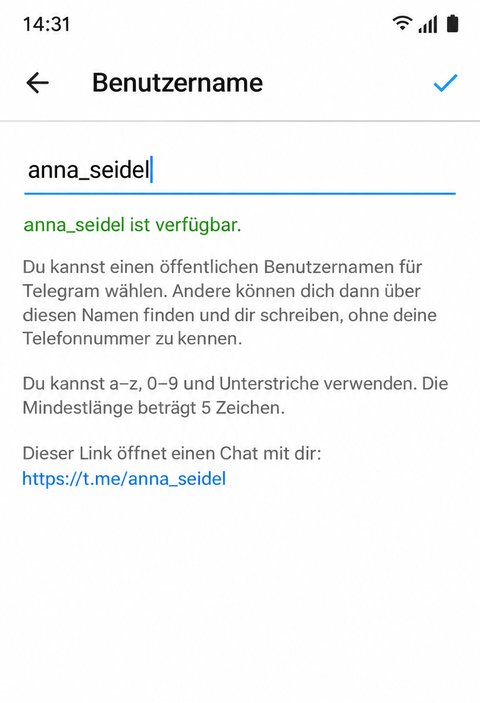
- Open the menu at the top left (three lines) and tap Settings.
- In the Account section, tap Username.
- Enter the name you want and confirm with the check mark.
Telegram Desktop
- Open the menu at the top left and click Settings.
- Click My Account (Edit profile in older versions) and then Username.
- Enter the name and click Save.
Username rules
- 5 to 32 characters long
- allowed are the letters a to z, the digits 0 to 9 and the underscore
- every name exists only once. If it is taken, Telegram tells you right away
Good to know
- You can change your username at any time. The connection to your AI agent stays in place, because it depends on your Telegram ID, not on the name.
- How to find your Telegram ID is explained in Find your Telegram ID.